How to View and Read in Tamil?
You do not need any special fonts. The entire site uses standardized Unicode — the same encoding built into all modern operating systems and browsers.
Windows 10 / Windows 11
If Tamil text is not displaying correctly on your Windows PC, follow the step-by-step guide at the link below to install Tamil language support:
https://letusexplain.blogspot.com/2015/08/easy-way-to-install-tamil-fonts-in.html
How to View Both Tamil and English?
On any Bible chapter page, look for the three buttons at the top-right of the verse panel: தமிழ், Tamil + KJV, and KJV only. Click Tamil + KJV to display each verse in both Tamil and English (King James Version) side by side.
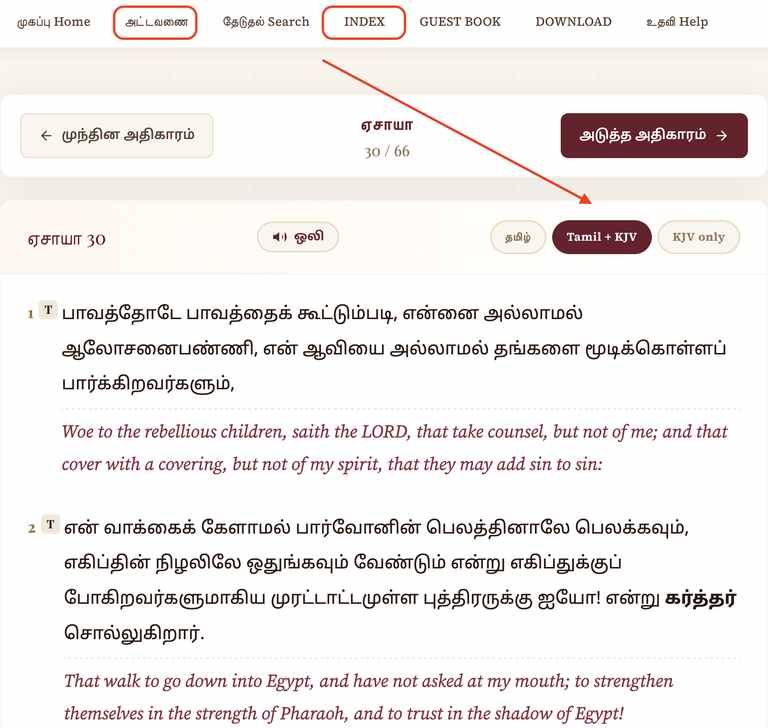
↑ Click "Tamil + KJV" to read both languages together.
Where is the Original Layout?
The original book and chapter selection page is still available. Click அட்டவணை (Tamil index) or INDEX (English index) in the top navigation bar to reach it. From there, use the நேரடி தேடல் tab to look up any passage directly, and choose இரண்டும் under மொழி to load the passage in both Tamil and English at once.
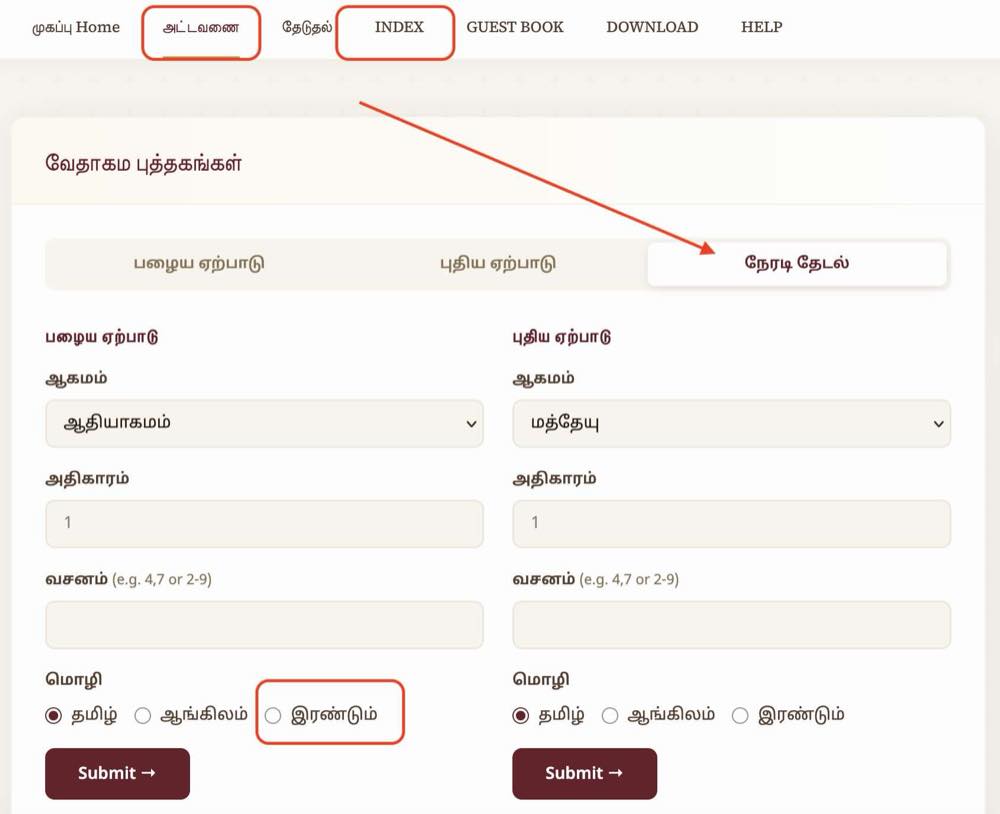
↑ அட்டவணை / INDEX in the nav → நேரடி தேடல் tab → choose இரண்டும் for dual language.
Prefer the Classic (Old) Website?
The original Tamil Bible website — the familiar layout many have used since 1998 — is still online and fully working. If you prefer the classic look, you can switch to it at any time.
Open it directly at www.tamil-bible.com/classic, or click the Classic link at the very top of the home page.
Open the Classic Website →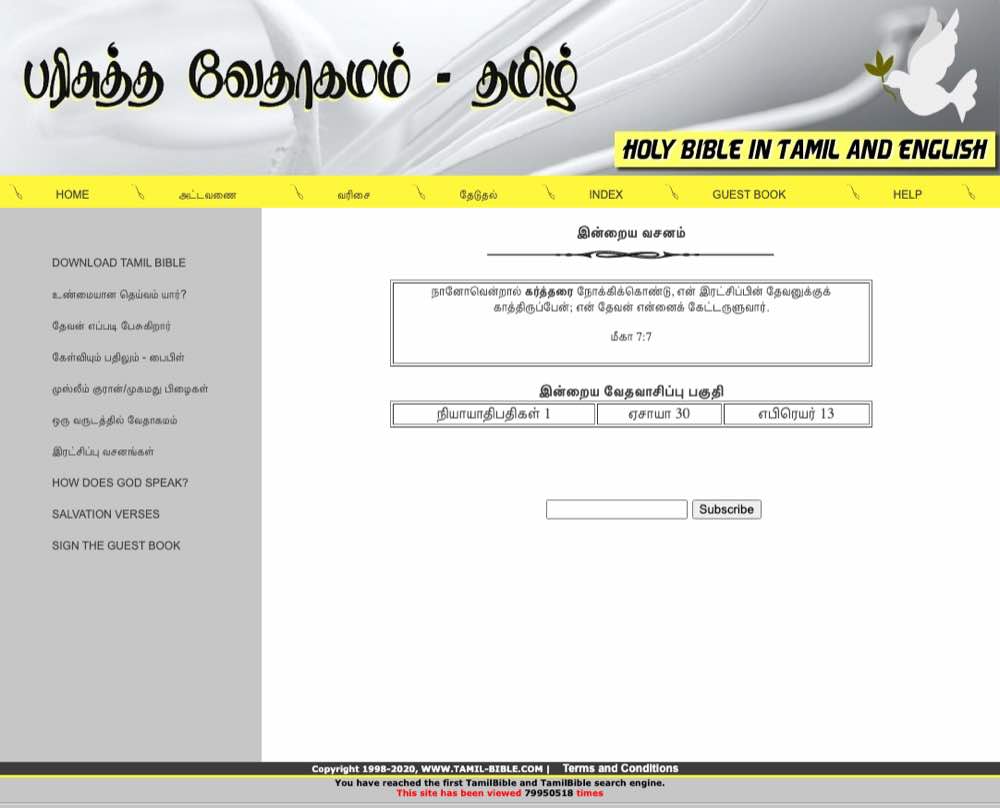
↑ The classic Tamil Bible layout — online since 1998.
Still Having a Problem?
If you still cannot see Tamil text after following the guide above, please send us an email — we are happy to help.
Send Email →God Bless You ✝